Photography and AI
What is AI?
Welcome to 2023! It seems the only thing people can talk about is AI. So what exactly is it? To put it simply, AI stands for Artificial Intelligence. In just a few decades, we have advanced from barely having computers, to now computers doing the thinking for us. AI is the act of technology now going above and beyond, and replicating behaviors once thought only possible by humans. This also has heavy implications in the photography world, and we have already seen the effects it has had.
For an in-depth description on AI, check out this article from IBM
What does this mean for us?
As photographers, we take out our cameras and take a photo. How could AI possibly come into that process? While we are still a little while out from androids walking the Earth and taking our jobs, AI is indeed routing its head into the industry.
For many years now, our cameras have already had AI! Have you used red eye removal before? That is a form of AI. Instead of us having to manually go in and remove the red light in peoples eyes, we have been having our camera do it for us. The camera is able to identify if someone's eye is red, and automatically fixes it.
New examples of AI
When have you last opened up lightroom? Photoshop? AI has now made its way into post processing.
In Lightroom
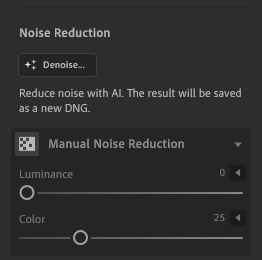
Here you can see how AI has made its way into lightroom. Did you take a photo with too much ISO? Perhaps the light was just too low? In post-processing, you can now remove the noise using AI. The AI is able to figure out where the noise is in your photo, and how much to remove. Instead of just smoothing out the image, it will remove noise to the point that it looks like a perfectly good photo.
In Photoshop
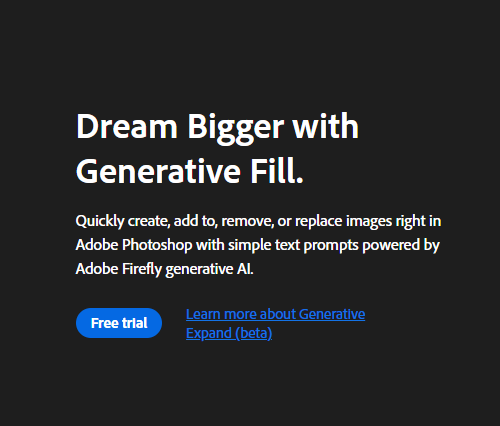
Or how about we make our way over to photoshop? AI is once again showing up over there. While it is not yet released into the mainstream version of Photoshop, you are able to access AI features in Adobe Photoshop Beta. A big feature that was added is generative fill. This allows you to now expand out a photo. This is groundbreaking for the world of photography. We can now create completely new photos just off of small images. Click here for more information on AI in photoshop.
AI Applications
We are now even seeing the rise of applications based entirely around AI.
Have you heard of Imagen? Perhaps you've heard of Aftershoot? These are AI applications that have come around that cull photos for you. We've all done photoshoots in which we got a little carried away and took too many photos. It is always so exciting to get home and see the results, but first, you have to cull through which photos are good and which are bad. When you have hundreds, perhaps thousands of photos to pick from, this can be draining. Tools like Imagen now allow you to have AI cull the photos for you. Using artificial intelligence, it can identify which photos are blurry, which ones are too bright, which photos are too dark, and any other minor defects that may ruin an image. It is able to decide for you what photos are worth keeping. In Imagen, it even will learn your editing style, and automatically apply them to all your photos! What used to take hours of work sitting at a computer, can now be brought down to just minutes.
Is it right?
A common question that comes up relating to AI is if its right to use. People have always been reluctant to accept new technology. When the film camera was first made, artists would say "that's not real art!" When digital cameras came around, people were saying "those aren't real photos!" Eventually all these technologies became mainstream, and it's up to you to decide if you want to use it.
So to help reduce your workflow
- Start embracing AI!
- Use the new features in lightroom
- Utilize those new features in photoshop
- And start exploring new culling tools to help reduce post processing time!


